How to make Gmail Account on Pc | Just in 5 Mins
How to make Gmail Account on Pc Just in 5 Minutes using any browser
Follow the given below steps to make Gmail account.
- Open your favorite browser. Like Google Chrome, Mozilla Firefox, Opera etc.
- I use Mozilla Firefox to create a Gmail Account.
- First write www.gmail.com in the browser address bar.
- Press Enter Key.

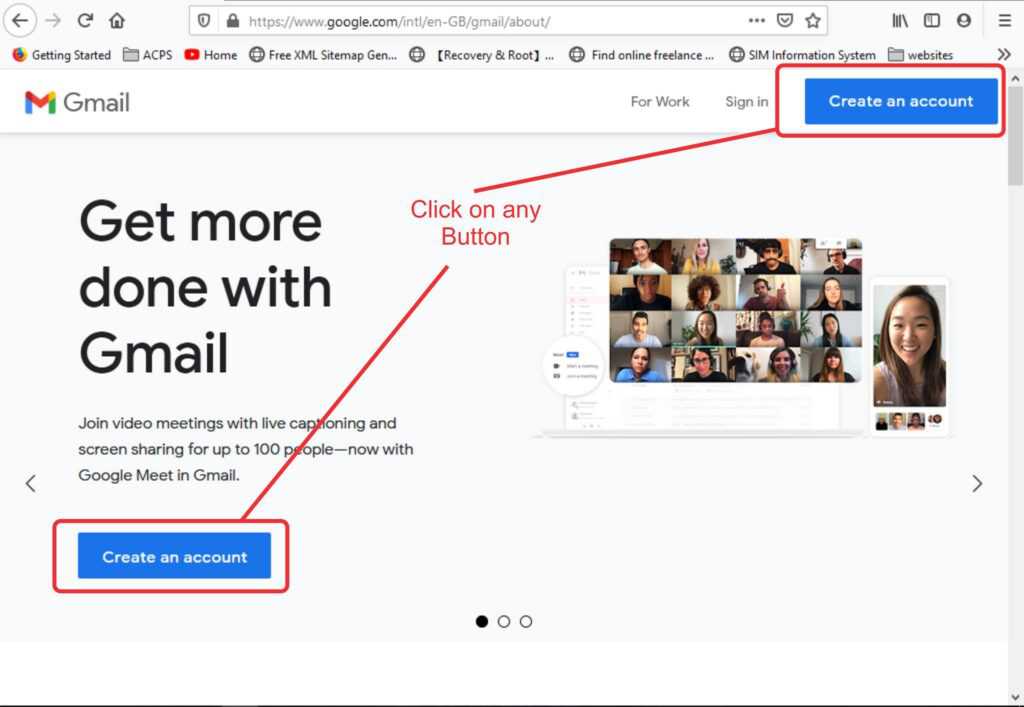
- Now the given below interface is shown.

- Now click on Create an Account. (There are two button similar click on any one)
- A new window open with a form.
- Fill the form with appropriate information.
- After fill the information click on next.

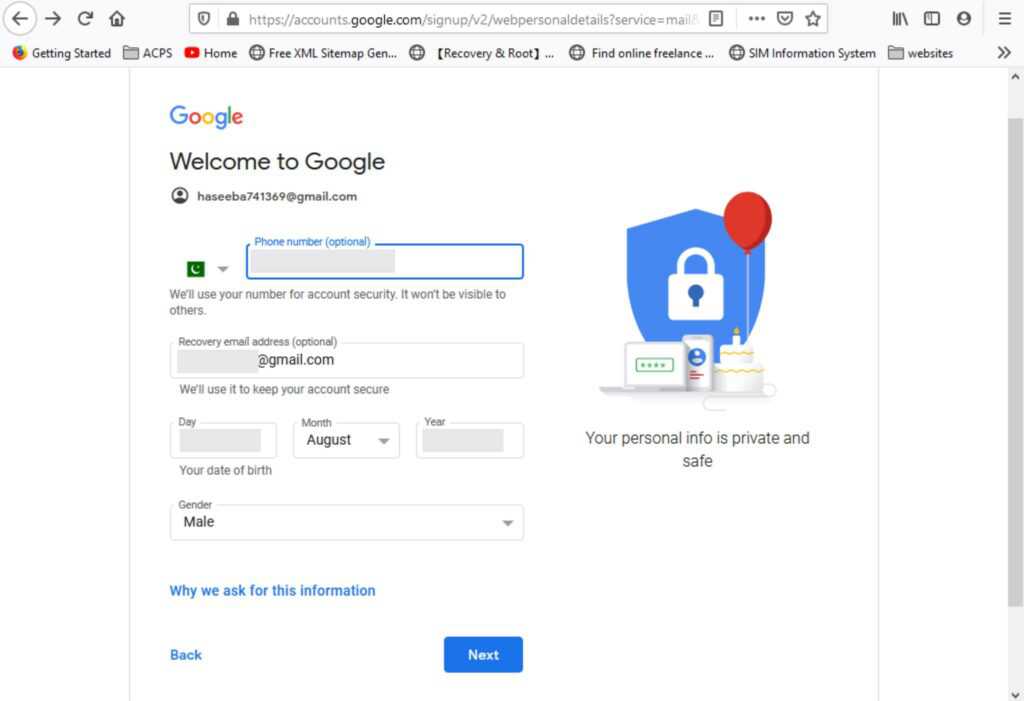
- 2nd form is open in this form again fill the required information.
- Phone number is optional but due to security reason providing Phone number is good for you.
- Recovery mail is your already created mail. If you provided the recovery mail then you can recover your account via this mail.
- After this enter your date of birth.
- (Remember that : You age is at least 18 year or above otherwise you cannot create primary email you create that can be only useable for children’s. For more info : Click here and read Google Policies.
- Select your Gender.
- Click on Next.
- Now the Privacy and Terms page open. Scroll down
- Click on more Option if you want to change some settings. Otherwise click on I agree.


- Hurrah ! Gmail Account Created Successfully.